CARLA
This example runs the complete Ufil pipeline on synthetic traffic from the CARLA simulator [1]. The simulator and the CARLA ROS bridge run in Docker containers based on CARLOS [2]; the Ufil side runs on the ROS 2 data of the bridge:
OBU:
ufil_examples_carla_adapterconverts the ground-truth objects of the bridge (/carla/objects,/carla/actor_list) into Ufil object lists in/obu, including the axle geometry of the known vehicle blueprints. The vehicles 0 to 6 of that list each get an on-board unit (namespaces/obu_0to/obu_6) that sends their state as CAM over UDP.OSN: a lidar on a 6.5 m pole (
/carla/lidar) feeds the point cloud preprocessor and the OSN tracker.SSL: a virtual mat (
ssl_simulator) rasterizes the wheels of the ground-truth objects into a pressure grid, which is processed by the SSL wheel and vehicle trackers with the CARLA vehicle templates.RSU: receives the CAMs, fuses OSN, SSL and CAM objects and publishes
/rsu/object_list, limited to the area of interest.
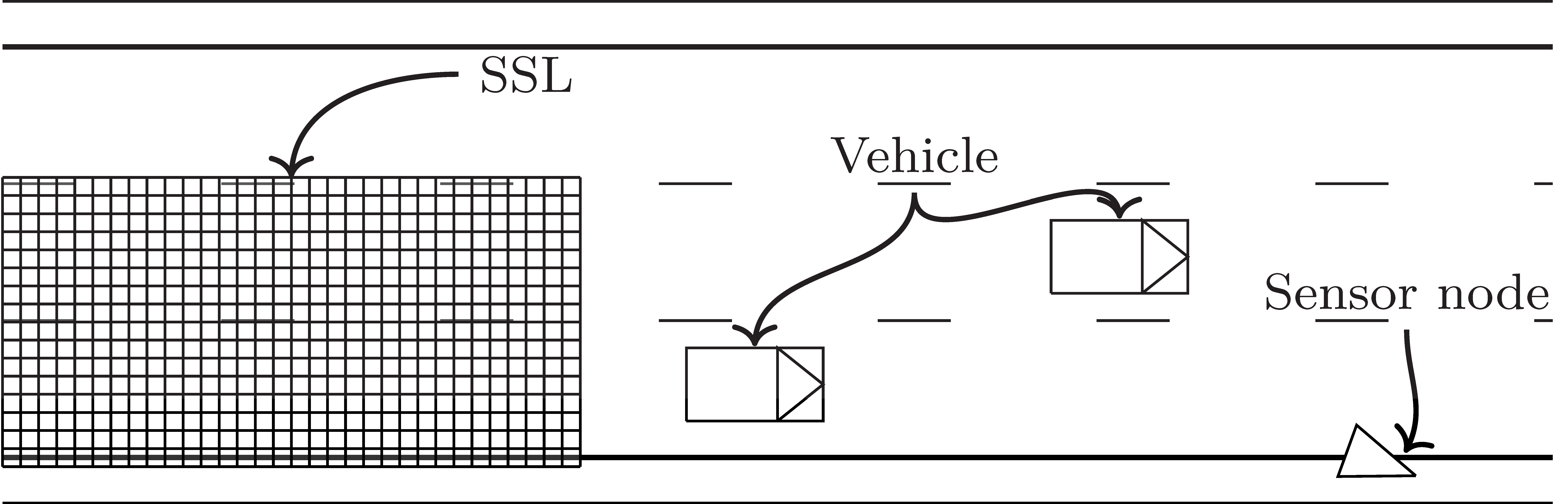
The highway scenario: the SSL covers the lanes upstream, the outdoor sensor node is installed downstream facing the SSL region, and vehicles broadcast CAMs. The fields of view partially overlap.
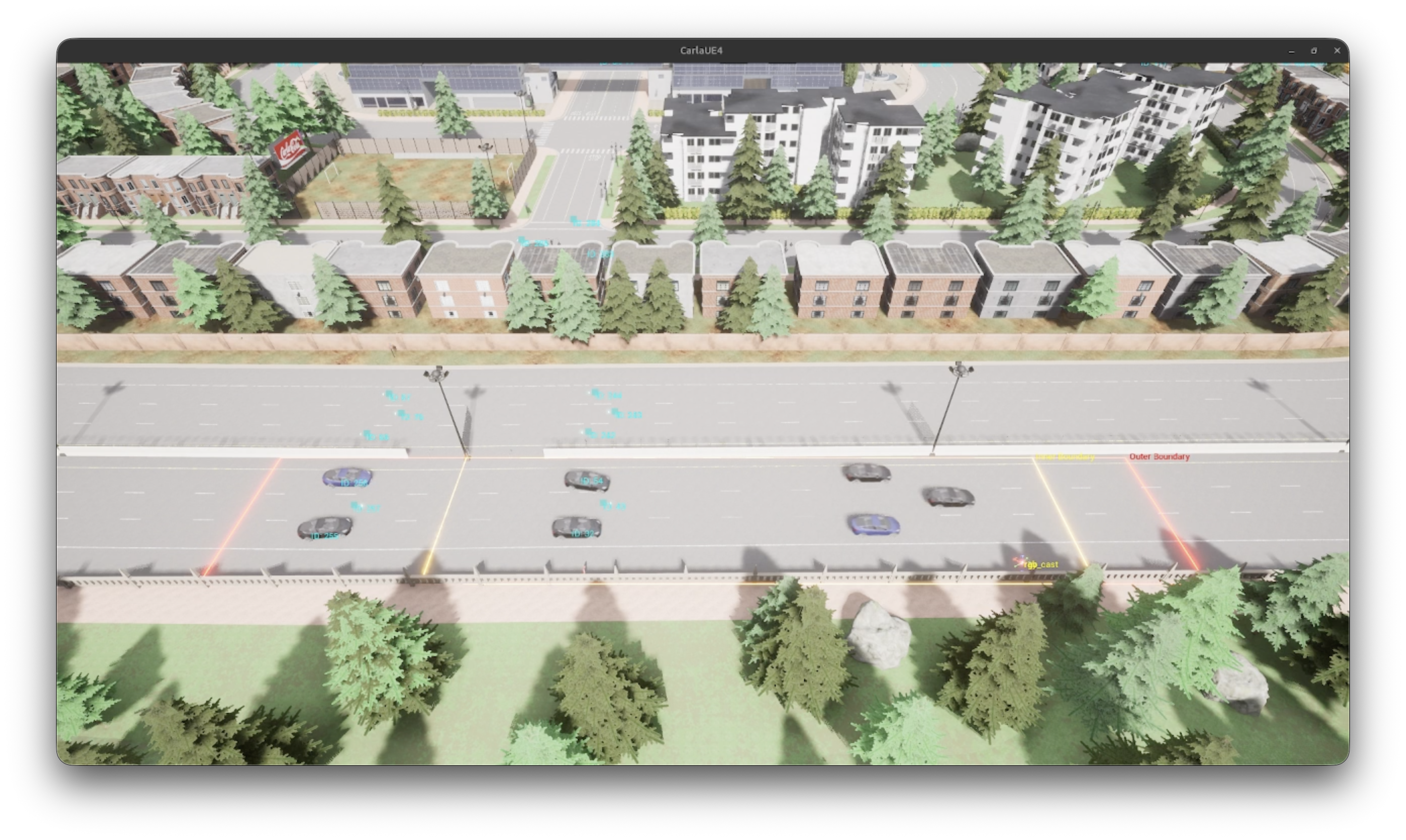
The highway scenario in CARLA (Town05).
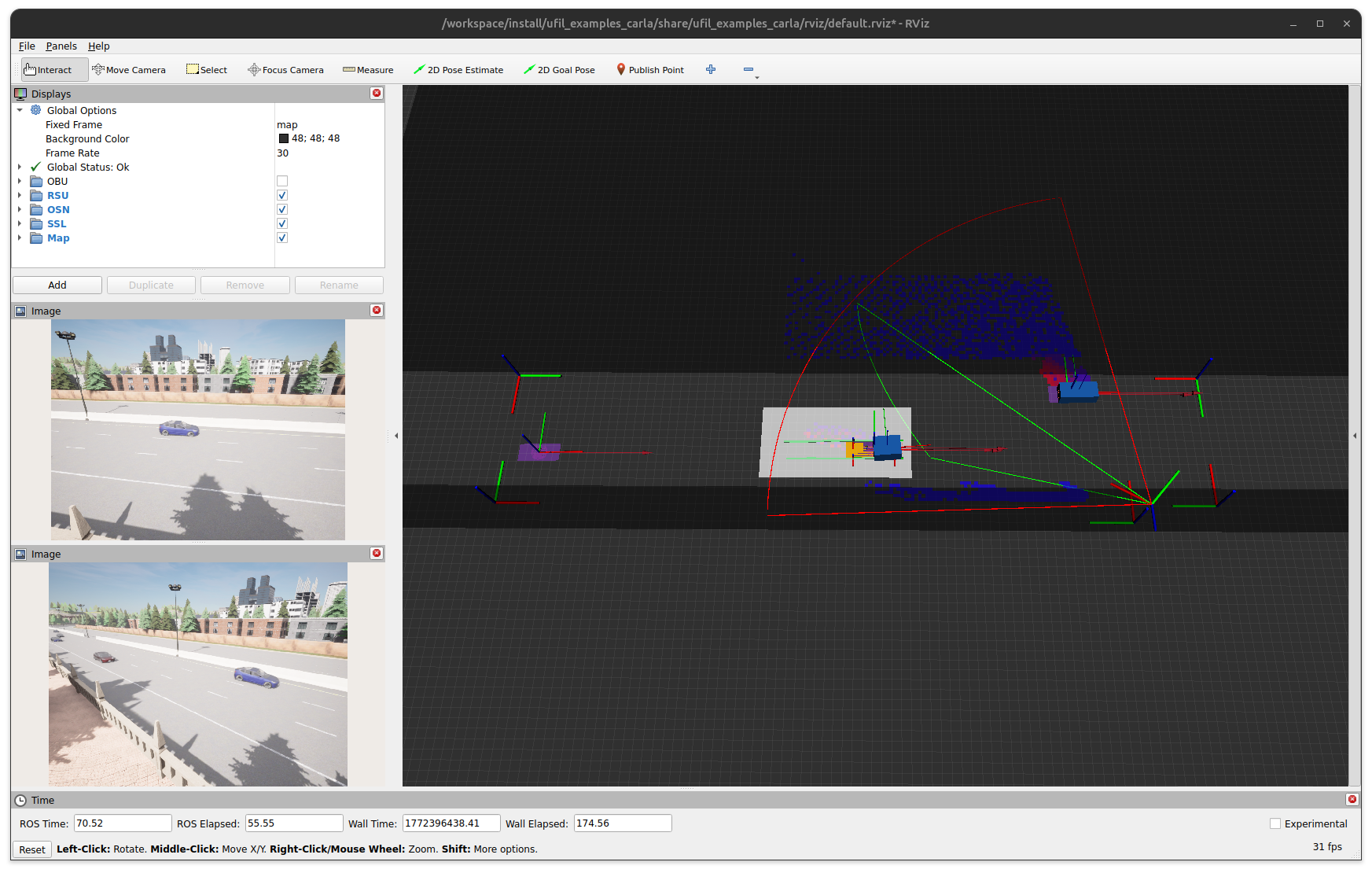
Ufil tracking the CARLA highway scenario, replayed from a recorded bag.
Packages: ufil_examples_carla (launch files, configuration, URDF, simulator setup),
ufil_examples_carla_adapter and carla_msgs (messages of the CARLA ROS bridge).
Scenarios
Both scenarios run CARLA in synchronous mode (fixed_delta_seconds 0.05 s) with the bridge
publishing /clock. A traffic manager keeps 15 vehicles (Tesla Model 3) driving and respawns
them.
Scenario |
Town |
Area of interest |
Sensor pole |
|---|---|---|---|
|
Town05 ( |
one-way stretch of a highway |
|
|
Town10 ( |
three-way intersection |
|
Each scenario has its own parameter file config/carla-<scenario>.yaml (area filter, static
objects of the OSN, SSL mat pose, fusion sensors) and URDF urdf/<scenario>.urdf.xml.
Launch Files
Launch file |
Content |
|---|---|
|
CARLA adapter with area filter ( |
|
OSN, SSL (wheel and vehicle tracking of |
|
Head and headless on one machine; the CAMs are sent to |
|
Simulated sensors: CARLA adapter with area filter and the virtual SSL mat fed with the
CARLA objects (publishes |
Run with Recorded Bags
Bags of the simulation contain the CARLA topics and the simulated SSL grid, so no simulator is needed. Start the processing stack and replay the bag with its clock:
ros2 launch ufil_examples_carla carla-highway.launch.xml
ros2 bag play ./260223_highway/ --clock 300 --topics /carla/lidar /ssl/ssl_1/map \
  /ssl/ssl_1/map_update /carla/objects /carla/actor_list \
  /carla/rgb_view_left/image /carla/rgb_view_right/image
Restricting the replay to the sensor topics avoids duplicates of the topics that the launched
stack publishes itself. A higher clock frequency (--clock 300) improves the timestamp accuracy.
With Docker Compose (use_sim_time is false in the compose services, so replay the bag
without depending on /clock or launch from the terminal profile):
BAG=/absolute/path/to/bag COMPOSE_PROFILES=carla-highway,bag,foxglove-bridge docker compose up
Run with the Live Simulator
CARLA needs an NVIDIA GPU with the NVIDIA container runtime. The simulator setup of each scenario lives in
src/ufil-examples/carla/ufil_examples_carla/simulator/highwaysrc/ufil-examples/carla/ufil_examples_carla/simulator/intersection
Start the CARLA server, the ROS bridge and the traffic manager from the scenario directory:
cd src/ufil-examples/carla/ufil_examples_carla/simulator/highway
docker compose -f docker-compose.offscreen.yml up
docker-compose.ymlrenders on screen instead and additionally starts a debug client that draws the sensor positions and the area of interest in the simulator, which helps when adjusting a scenario.Start the simulated sensors and the Ufil stack:
ros2 launch ufil_examples_carla carla-highway_simulation.launch.xml
ros2 launch ufil_examples_carla carla-highway_headless.launch.xml
carla-highway_head.launch.xmlis optional and adds the on-board units, which send the CAMs of the vehicles to the RSU, for a distributed setup on a second machine.
Important
The simulator containers use host networking with Fast DDS on ROS_DOMAIN_ID=42. The Ufil
nodes must use the same middleware and domain to receive the CARLA topics, e.g.
RMW_IMPLEMENTATION=rmw_fastrtps_cpp ROS_DOMAIN_ID=42 (see Middleware).
Use the carla-intersection_* launch files and the intersection directory for the
intersection scenario.
Dataset
The dataset used for this example is currently redacted and will be made available after the paper is accepted at the corresponding venue.