Cyber-Physical Mobility Lab (CPM Lab)
The CPM Lab at RWTH Aachen University is a small-scale testbed with networked 1:18 model vehicles (µCars) and an indoor positioning system. In this example, the lab hosts a scaled version of the Ufil demonstrator: lab vehicles act as connected vehicles, a depth camera on a pole acts as outdoor sensor node, and two pressure-sensitive mats form the sensitive surface layer. All objects are scaled to real-world dimensions, so the same components and parameters as in a full-scale deployment can be used.
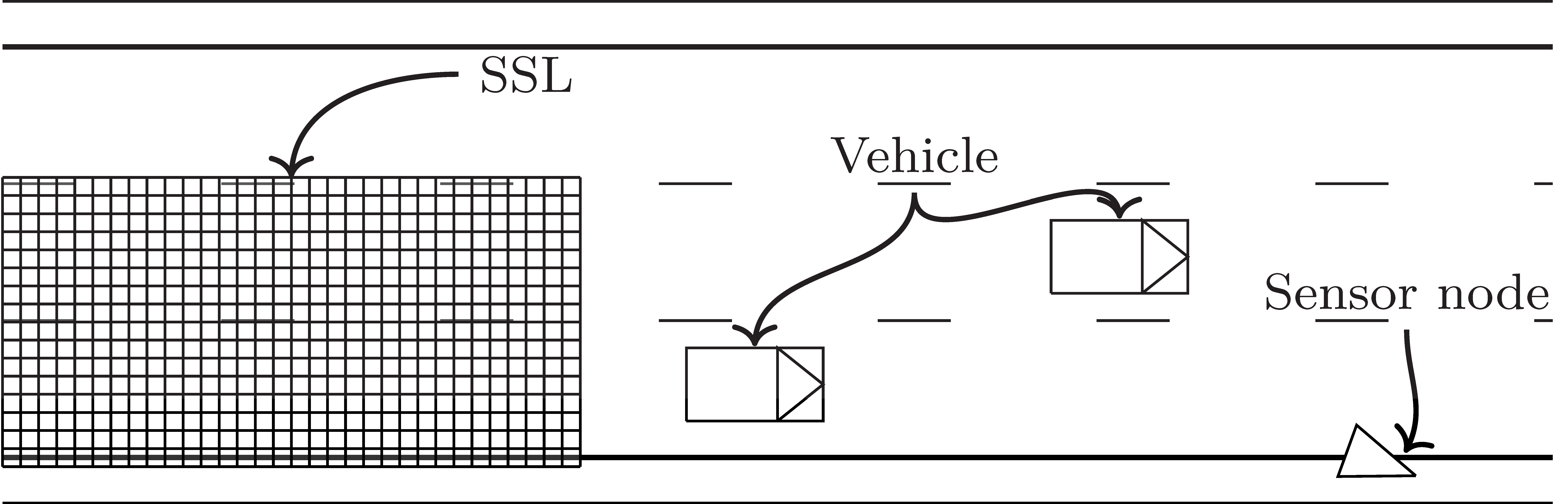
The scenario: a three-lane highway segment with an SSL covering the two right-most lanes upstream and a roadside outdoor sensor node downstream facing the SSL region. Their fields of view partially overlap; the vehicles broadcast CAMs.
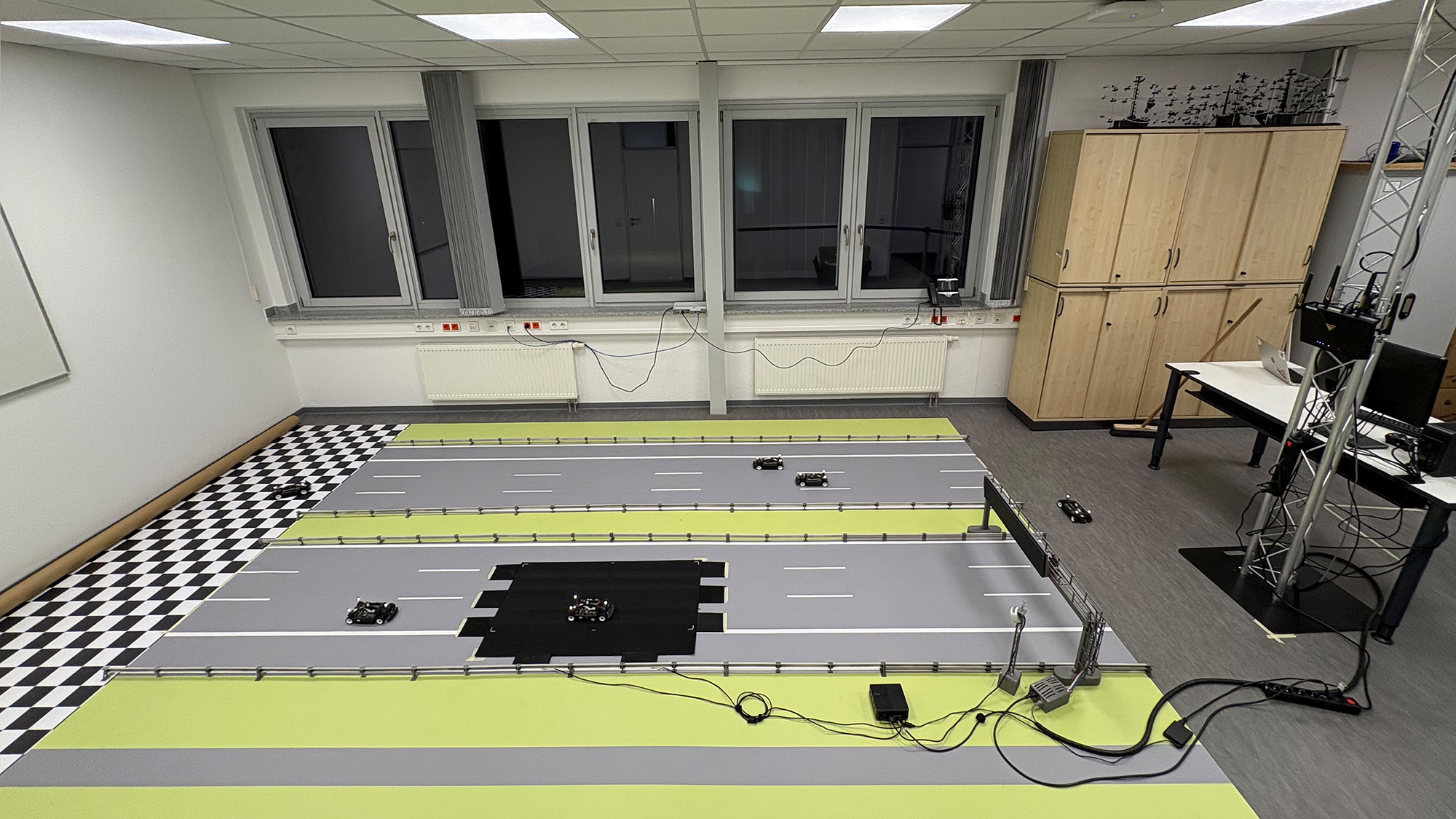
The setup in the CPM Lab: µCars on the highway segment, the SSL mats and the sensor pole.
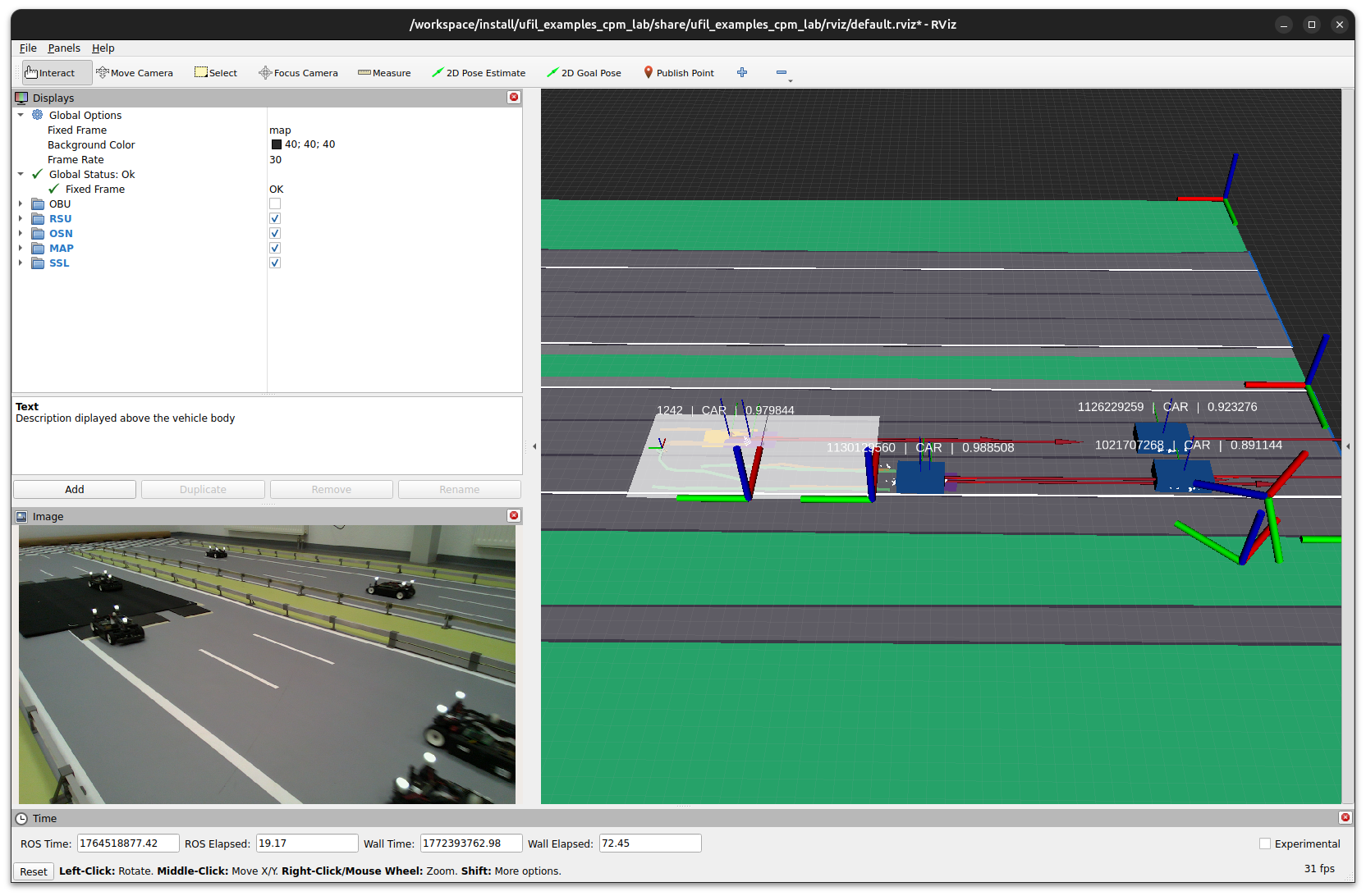
Ufil tracking the vehicles of the CPM Lab scenario, replayed from a recorded dataset.
OBU:
ufil_examples_cpm_lab_adaptersubscribes to the states of the lab vehicles 12, 13, 15, 17, 18 and 19 (/lab/vehicle_<id>/vehicleState), scales them by 18 and publishes them in themapframe: all vehicles together on/obu/object_listand each one alone on/obu/vehicle_<id>/object_list. Every vehicle has an on-board unit (namespace/obu_<id>) that sends its CAM over UDP.OSN: an Intel RealSense L515 on a pole (
/l515/depth/color/points) feeds the point cloud preprocessor and the OSN tracker. The static lab infrastructure is removed withconfig/sfb_demonstrator.csv.SSL: two mats (
/ssl_1,/ssl_2) are tracked together by the SSL wheel tracker; the vehicle tracking uses the template of the scaled µCar (muCar_scaled_lab.json).RSU: receives the CAMs and fuses CAM, OSN and SSL objects into
/rsu/object_list, limited to the lab area.
The visualization shows the Lanelet2 map maps/A61 Lanelet2.osm of the demonstrator.
Packages
Package |
Content |
|---|---|
|
Launch files, |
|
|
|
Wire-compatible copies of the CPM Lab interfaces (vehicle states and commands, indoor positioning, binary Lanelet2 maps, lane control lights) |
The adapter is configured in config/cpm-lab.yaml:
/obu/cpm_lab_adapter:
  ros__parameters:
    vehicle_ids: [12, 13, 15, 17, 18, 19]
    target_frame: map
    # defaults: vehicle_state_topic /lab/vehicle_{id}/vehicleState, source_frame lab,
    #           publish_rate 20.0 Hz, state_timeout 0.5 s
Running the Example
Live in the lab. The CPM Lab software publishes the vehicle states and the mats publish their
pressure grids. Start the head part on the machine connected to the lab network and the
headless part on the infrastructure machine (192.168.1.41 receives the CAMs on port 5000):
ros2 launch ufil_examples_cpm_lab cpm-lab_head.launch.xml use_sim_time:=false
ros2 launch ufil_examples_cpm_lab cpm-lab_headless.launch.xml use_sim_time:=false
With Docker Compose, use the profiles cpm-lab-head and cpm-lab-headless (see
Distributed Setup: Head and Headless).
On one machine, e.g. with a recorded bag:
ros2 launch ufil_examples_cpm_lab cpm-lab.launch.xml
ros2 bag play <bag-folder> --clock 300
A higher clock frequency (--clock 300) improves the timestamp accuracy.
or with Docker Compose:
BAG=/absolute/path/to/bag COMPOSE_PROFILES=cpm-lab,bag,foxglove-bridge docker compose up
Dataset
The dataset used for this example is currently redacted and will be made available after the paper is accepted at the corresponding venue.
Topics
Topic |
Content |
|---|---|
|
All lab vehicles inside the lab area (ground truth of the indoor positioning) |
|
Tracks of the outdoor sensor node |
|
Vehicles detected by the two SSL mats |
|
Objects decoded from the received CAMs |
|
Fused object list |
|
Visualization markers |